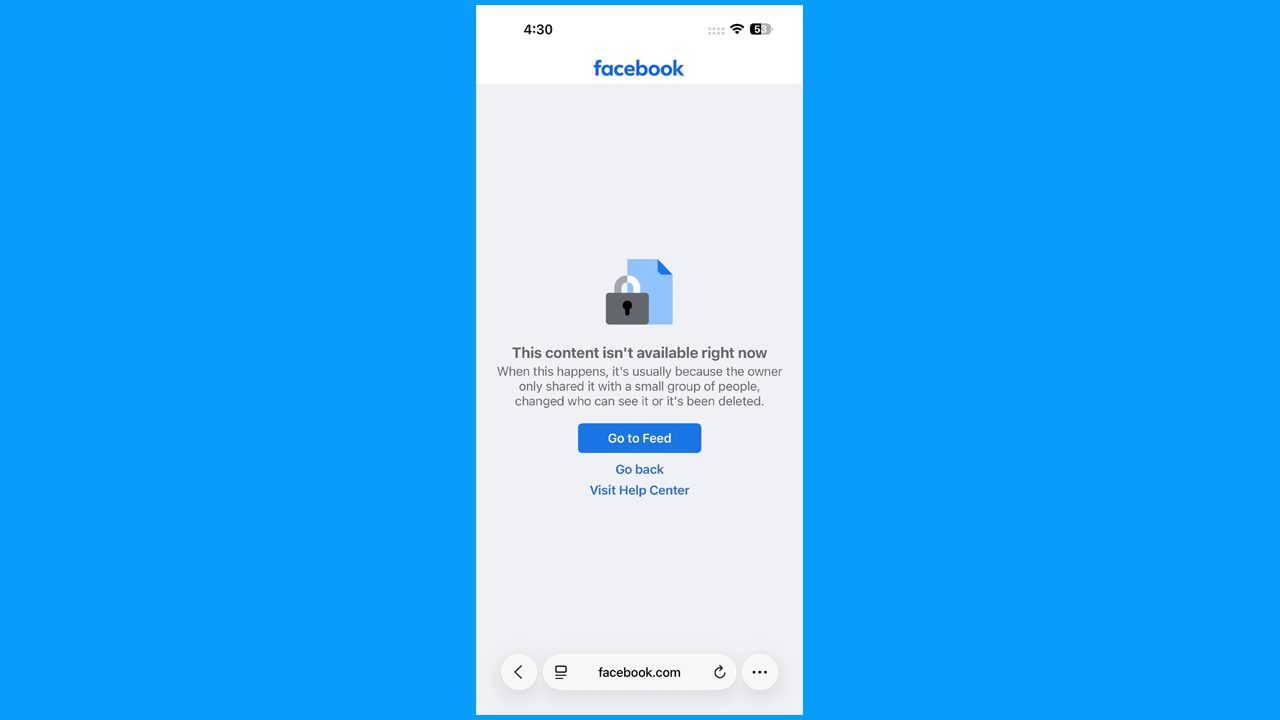
Seeing the “This content isn’t available right now” message on Facebook can be confusing, especially when you are trying to open a post, profile, or shared link. This can happen for different reasons such as being logged out, getting blocked, deleted content, changed privacy settings, account restrictions, or a temporary Facebook problem.
In this article, we’ll explain the common reasons behind this error and share simple solutions that will help you to fix “This content isn’t available right now” error in Facebook. You can check your account, internet connection, Facebook app or browser, and the content’s availability to find the possible cause.
Reasons & Fixes for This Content Isn’t Available Right Now Error on Facebook
A Facebook post may suddenly stop opening even when the link or post was working earlier. This can happen when the person who shared it changes something, the post is no longer public, or Facebook temporarily limits access to it. Browser glitches, account-related changes, or certain viewing limits can also affect what you see.
Below, we have mentioned the reasons and their fixes to solve this error on Facebook.
Reason 1: Check If you’re Logged Out
Sometimes, you may not be able to view a Facebook post, profile, photos, or shared link when you are signed out of your account. Some content is only visible to logged-in users, so it may prevent you from opening it until you sign in again. This can also happen if your login session has expired or the app has automatically signed you out.
Steps to follow to fix this issue:
- Open the app or website.
- Check whether you are signed in to your account.
- If you are logged out, enter your email/phone number and password to log in.
- After signing in, open the post or link again.
- If it still does not open, refresh the app and try again.
Reason 2: Check If Someone Blocked You
If you cannot open a person’s profile or view their post, they may have blocked your Facebook account. When someone blocks you, their profile and some of their content may no longer be visible to you.
Step to follow to fix this issue:
- Search for the person’s profile on Facebook.
- Check whether you can find or open their profile.
- If you cannot access it, ask the person directly whether they blocked you.
- If they have blocked you, only that person can remove from the blacklist.
- If you are not blocked, try refreshing Facebook or checking your internet connection.
Reason 3: Facebook is Temporarily Down
Sometimes, Facebook may stop working for a short time because of a server problem or a temporary technical issue. This can prevent the platform from loading properly or showing some features.
Step to follow to fix this issue:
- Wait for some time and try opening the app again.
- Check your internet connection and switch between Wi-fi and mobile data.
- Close the app completely and open it again.
- Restart your phone.
- Check if a new Facebook update is available.
- If the problem is from the app side, you may need to wait until the service is restored. You can check the Facebook server status over Here.
Reason 4: The Account is Deleted or Deactivated
You may not be able to see the content if the Facebook account (Person account) that posted it was deleted or deactivated. A deactivated account is temporarily unavailable, while a deleted account may no longer exist.
Step to follow to fix this issue:
- Open the app and try to log in to your account.
- Enter your login details and check if you can access the account.
- If Facebook shows a recovery option, follow the instructions on the screen.
- If your account was deactivated, request a review if Facebook provides that option.
- If you recently deactivated the account, log in again to check if it can be restored.
- If the account was permanently deleted, the old content may not be recoverable.
Reason 5: The Content was Removed by Owner or Facebook
In some cases, you may see the “This content isn’t available” message because the post or content has been deleted. The owner may have removed it themselves, or the app may have removed it for breaking its rules. If the content was reported or removed before you opened it, you may no longer be able to view it.
Step to follow to fix this issue:
- Ask the owner if they deleted the post.
- Check again later to see if they reported it.
- Check the app notifications if the content was
- Request a review if Facebook provides that option.
- If it was permanently deleted, you cannot view it again.
Reason 6: Your Access to the Post May be Limited
In few situations, a person may add you to their Restricted List of blocking or unfriendly you. This means you can still visit their profile and see posts they share publicly, but you may not be able to see posts shared only with friends. Because of these privacy settings, a private post may show as unavailable to you.
Step to follow to fix this issue:
- Open the person’s profile.
- Check their recent posts.
- If you only see public posts, they may have restricted
- Ask the person if you cannot access a private post.
- If they are restricted, only the account owner can remove the
Reason 7: The Privacy Settings Were Changed
In few cases, the person who shared the content may change its privacy settings. They have may limited who can see the post, and your account may not be included n the selected audience. As a result, the post may no longer be available to you.
Step to follow to fix this issue:
- Open the Facebook profile.
- Check their older posts.
- See if you can view their private posts.
- If you still cannot access the post, ask the owner about the privacy settings.
- If your account is not included in the audience, only the owner can change the setting.
Reason 8: Location or Age Restriction
The post may have age or location restriction set by the page owner. If your age or location does not meet these requirements, Facebook may show a “This content isn’t available” message instead of the post.
Step to follow to fix this issue:
- Check the page or profile and try opening the post again.
- Check your account information, such as your age and
- If the post has a restriction, you may not be able to view it.
- If the restriction was added by the owner, only the owner can change it.
- If everything is correct but the post is still unavailable, try again later.
Reason 9: The Link May be Broken or Invalid
The link you are trying to open may no longer work correctly, this can happen if the link was copied incorrectly, changed, expired, or the original content was removed. In such cases, Facebook may show a “This content isn’t available” message.
Step to follow to fix this issue:
- Check the link and make sure it is correct.
- Try opening it again from the original post or message.
- Ask the sender to share the link again.
- If the content was removed, the link may no longer work.
Reason 10: The Content is Restricted in Your Region
Some Facebook content may not be available in certain countries or regions. This can happen because of local rules, content restrictions, or settings applied by the content owner. If the post is not available in your region, Facebook may show a “This content isn’t available” message.
Step to follow to fix this issue:
- Try opening the post again
- Check other posts from the same page or profile.
- If the content is restricted in your region, you may not be able view it.
- If the restriction is removed later, the content may become available again.
Reason 11: The Post was Removed
The post may no longer be available because the person who shared it deleted it. Facebook may also remove a post if it does not follow its rules. Once the post is removed, the link may show the “This Content isn’t available” message.
Step to follow to fix this issue:
- Open the link again to check if the post is available.
- Visit the person’s profile and lock for the post.
- Ask the owner if they deleted or removed
- If Facebook removed the post, the owner can check their notification for more information.
- If the post was permanently removed, you can’t do anything and you cannot view it again.
Reason 12: A Temporary App or Browser Problem
Sometimes, Facebook may not load content correctly because of a temporary problem with the app or web browser, a small technical issue, outdated app, or stored cache can prevent a post from opening properly. In this situation, the content may appear unavailable even though it has not been deleted.
Step to follow to fix this issue:
- Close and reopen Facebook.
- Check your internet connection.
- Update the Facebook app if an update is available.
- Clear the app or browser cache.
- Try opening the post again after sometime.
Conclusion
We hope this guide has helped you understand why the “This content isn’t available right now” message appears on Facebook and how you can fix it. By trying the solution discussed above, you should be able to resolve the issue and access the content again.
If the problem still persists, then contact Facebook Help Center for further assistance, as they can help you to solve your specific issue.